

Deep Dive: Decoding Modem Technology and Performance Metrics
Understanding DOCSIS Standards
The Data Over Cable Service Interface Specification (DOCSIS) is the international telecommunications standard that permits the addition of high-bandwidth data transfer to an existing cable TV system. DOCSIS defines how cable modems communicate over a hybrid fiber-coaxial (HFC) network, ensuring interoperability between devices from different manufacturers and facilitating the provision of internet services by cable operators. The evolution of DOCSIS directly correlates with the increasing demand for faster internet speeds and enhanced network reliability.
DOCSIS 3.0: The Era of Channel Bonding
Introduced in 2006, DOCSIS 3.0 revolutionized cable broadband by introducing channel bonding. This technology allows a modem to use multiple downstream and upstream channels simultaneously, effectively combining their bandwidth to achieve much higher speeds than single-channel DOCSIS 2.0 modems. Common configurations include 8x4, 16x4, 24x8, or 32x8 channel bonding, where the first number represents downstream channels and the second represents upstream. While offering significant speed improvements, DOCSIS 3.0 typically caps out at around 1 Gbps downstream for the most robust configurations, making it suitable for many gigabit internet plans but often struggling to exceed them efficiently.
DOCSIS 3.1: Multi-Gigabit Capabilities and OFDMA
DOCSIS 3.1, released in 2013, represents a significant leap forward, designed to support multi-gigabit speeds (up to 10 Gbps downstream and 1-2 Gbps upstream) and provide greater network efficiency. Its core innovations include Orthogonal Frequency-Division Multiplexing (OFDM) for downstream and Orthogonal Frequency-Division Multiple Access (OFDMA) for upstream. These modulation schemes allow for much wider blocks of spectrum to be used (up to 192 MHz for OFDM and 96 MHz for OFDMA), leading to better spectral efficiency, lower latency, and improved resilience to noise compared to the single-carrier QAM channels used in DOCSIS 3.0. DOCSIS 3.1 modems are also backward compatible with DOCSIS 3.0, allowing for a phased network upgrade.
Modem vs. Gateway: Differentiating Network Hardware
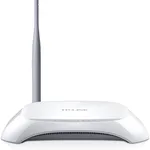
While often used interchangeably, a modem and a gateway serve distinct functions. A modem is solely responsible for translating signals between your ISP's network and your home network. It establishes the foundational internet connection. A modem-router combination device, often referred to as a "gateway," integrates the modem functionality with a Wi-Fi router, providing both the internet connection and local network management, including Wi-Fi broadcasting and multiple Ethernet ports. While convenient, dedicated modems and separate high-performance routers often offer greater flexibility, better performance optimization, and enhanced security features. Many advanced users and professionals prefer separate components to select best-in-class hardware for each specific function and to maintain finer control over their network configuration, including advanced firewall rules, QoS, and VPN capabilities.
Ensuring Optimal Modem Performance
To maximize modem performance, several factors must be considered beyond just DOCSIS version and speed. The quality of the coaxial cabling within your home significantly impacts signal integrity. Poorly shielded or damaged cables can introduce noise and signal attenuation, leading to slower speeds and intermittent connections. Additionally, ensuring proper ventilation for the modem prevents overheating, which can degrade performance and shorten device lifespan. Regular firmware updates, provided by your ISP or the manufacturer, are crucial for maintaining security, fixing bugs, and potentially improving performance and compatibility with network changes. Finally, strategically positioning a separate Wi-Fi router (if not using a gateway) is vital to ensure robust wireless coverage throughout the premises, leveraging the high-speed connection provided by the modem.