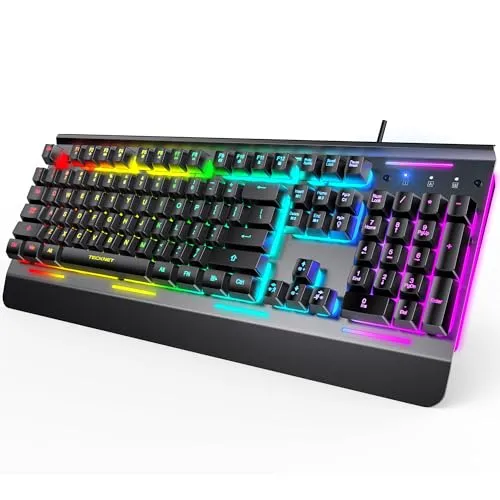
Onikuma G29
VS

Razer Cynosa Pro
Feature Comparison
Aesthetic features
Aesthetic features
| Keyboard Type Based on Dimensions | ||
|---|---|---|
| Keyboard Classification by Application | Gaming | Gaming |
| Wrist Rest Design | No | No |
| Total Number of Keyboard Keys | ||
| Shape and Structure of Keys | Flat square | Square with concave surface |
| Numeric Keypad Status | No | Yes |
| Dedicated Macro Keys | No | No |
| Media Control Keys | No | No |
| Presence of Persian Characters | No | No |
| Size and Dimensions | 25 * 96 * 295 millimeter (mm) | 32.8 * 174 * 457 millimeter (mm) |
| Cable Type and Length | 1.5m USB 2.0 cable with Type-C connector | - |
| Product Weight | 660 gram (g) | 878 gram (g) |
| Split Keys and Ease of Use | - | No |
| Shortcut Keys | - | |
| Media Key Functionality | - | |
| Power On/Off Button | - | No |
| Body Material | - | Plastic and Aluminum |
Main features
Main features
| Connection Type | Wired and Wireless | Wired |
|---|
Connections
Connections
| Wireless Connection Details | 2.4 GHz band / Bluetooth 5.0 / Effective range 10 meters | - |
|---|
Technical features
Technical features
| Switch Type | Mechanical | Membrane |
|---|---|---|
| Backlit Capability | Yes | Yes |
| Backlit Type | RGB Lighting | Has 3 lighting modes |
| Touchpad Capability | - | No |
| Anti-Ghosting Capability | - | Yes |
| Anti-Ghosting Operation Method | - |
Additional features and options
Additional features and options
| LED Status Indicator | - | With 5 LED indicators |
|---|---|---|
| Box Contents | - | Keyboard / User manual |
Capabilities
Capabilities
| Additional Features | - | Game Mode |
|---|
Disclaimer: Information on this page may need review. If you notice any discrepancies, please report them
User Rating Comparison
Onikuma G29
0
/10
from total 1 Vote
Razer Cynosa Pro
0
/10
from total 1 Vote
Questions and Answers About This Comparison
No questions have been asked about this comparison yet.
Be the first to ask a question!
Your question will be displayed after approval