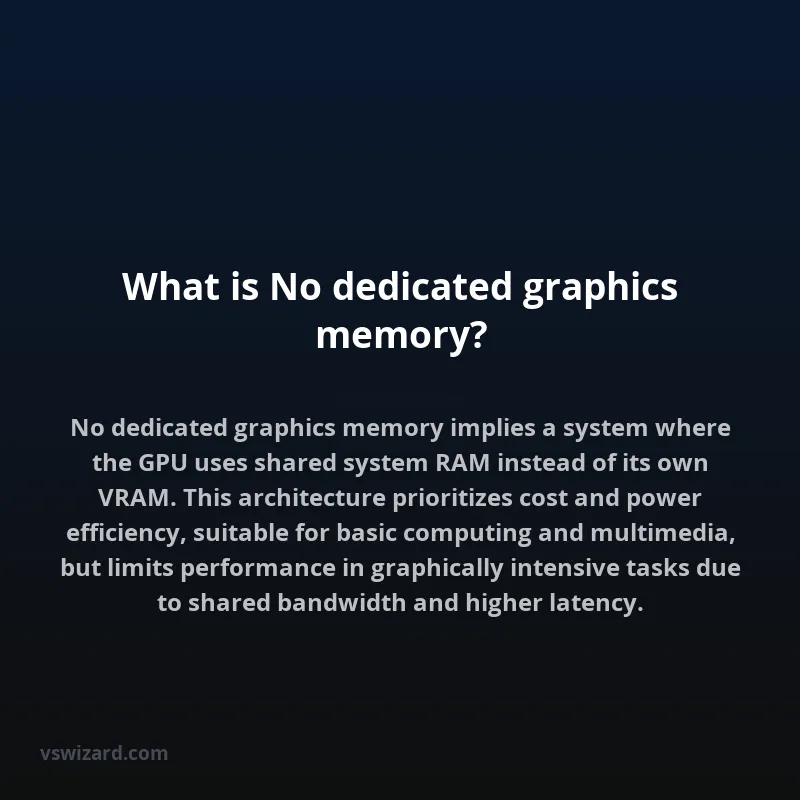
The absence of dedicated graphics memory signifies a system architecture where the graphics processing unit (GPU) does not possess its own independent pool of high-speed video RAM (VRAM). Instead, it relies on system RAM (Random Access Memory) for its operational needs. This shared memory approach, often termed 'unified memory' or 'integrated graphics,' necessitates careful management of data transfer between the CPU, GPU, and system RAM. The GPU must compete with the CPU and other system components for access to this shared resource, which can introduce latency and bandwidth limitations compared to systems equipped with discrete graphics cards featuring dedicated VRAM.
This memory configuration is primarily found in systems utilizing integrated graphics processors (IGPs) typically embedded within the CPU package or on the motherboard. IGPs, by design, prioritize lower power consumption and reduced system cost, making them suitable for everyday computing tasks such as web browsing, office productivity, and basic multimedia playback. However, the performance ceiling for applications demanding significant graphical processing power, like high-fidelity gaming, complex 3D rendering, or professional video editing, is inherently lower due to the shared memory constraint and the typically less powerful processing cores of IGPs compared to their discrete counterparts.
Mechanism of Operation
In systems without dedicated graphics memory, the GPU dynamically allocates a portion of the system's main RAM for its operations. This includes storing texture data, frame buffers, shaders, and other graphical assets required for rendering. The efficiency of this process is heavily dependent on the memory controller, bus speed, and the overall memory bandwidth available to the system. Operating systems and graphics driver software play a crucial role in managing this shared resource, often employing techniques like memory mapping and caching to optimize data access for the GPU. When the GPU requires data, it is fetched from system RAM, processed, and then potentially written back. This fetch-process-write cycle, when executed over the system bus, is inherently slower than accessing data residing in dedicated VRAM, which is optimized for high-throughput parallel access patterns characteristic of graphics workloads.
Memory Allocation and Management
The allocation of system RAM to the GPU is typically managed by the BIOS/UEFI firmware during system initialization and further refined by the graphics driver. The amount of RAM allocated can sometimes be configured manually in the BIOS/UEFI settings, although modern systems often employ dynamic allocation based on application demands. This dynamic allocation aims to balance the memory needs of both the CPU and GPU, preventing one from starving the other. However, in scenarios where graphical applications demand large amounts of memory, the available system RAM can become a bottleneck, leading to reduced frame rates, longer loading times, and even application instability.
Bandwidth Considerations
The primary performance limitation stems from the memory bandwidth. System RAM, particularly DDR4 and DDR5, while offering high capacities, generally exhibits lower peak bandwidth and higher latency compared to specialized GDDR (Graphics Double Data Rate) SDRAM used in dedicated GPUs. The unified memory architecture means the GPU must share the memory bus with the CPU, leading to contention. This shared bus architecture is a fundamental divergence from discrete GPU designs where a dedicated, high-bandwidth GDDR interface connects the GPU directly to its VRAM, bypassing the system bus congestion.
Applications
Systems utilizing no dedicated graphics memory are primarily designed for efficiency and cost-effectiveness, targeting a broad spectrum of mainstream computing use cases.
Everyday Computing
For typical desktop and laptop usage, including web browsing, word processing, email, and social media, integrated graphics are more than sufficient. The performance demands of these tasks are well within the capabilities of modern IGPs, and the integrated nature contributes to smaller form factors and lower power consumption.
Basic Multimedia
Playback of standard definition and high-definition video content, as well as casual photo editing, can be handled effectively. Modern IGPs often include dedicated hardware decoders for various video codecs (e.g., H.264, HEVC), offloading this processing from the CPU and ensuring smooth playback without requiring significant graphical memory resources.
Light Gaming and Casual Applications
While not suitable for demanding AAA titles, integrated graphics can power older games, indie titles, and less graphically intensive casual games. Performance will vary significantly based on the specific IGP, the game's engine, and the resolution and graphical settings employed.
Architecture and Design
The architecture of systems employing no dedicated graphics memory centers around an integrated graphics processing unit (iGPU). This iGPU is typically part of the System-on-a-Chip (SoC) or the CPU die itself.
Integrated Graphics Processors (IGPs)
IGPs are designed for power efficiency and integration. They comprise execution units (similar to shaders in discrete GPUs), texture units, render output units, and a memory interface. This interface connects directly to the system's memory controller, enabling access to shared system RAM. Examples include Intel's integrated Graphics (e.g., Intel UHD Graphics, Intel Iris Xe Graphics) and AMD's Radeon Graphics integrated into their APUs (Accelerated Processing Units).
Unified Memory Architecture
The defining characteristic is the unified memory architecture (UMA). In UMA, the CPU and GPU access the same physical memory space. This contrasts with discrete GPU architectures, which employ a Non-Uniform Memory Architecture (NUMA) where the GPU has its own dedicated VRAM, physically separate from system RAM.
Comparison with Dedicated Graphics Memory
The fundamental difference lies in the memory subsystem. Dedicated graphics memory (VRAM) offers significantly higher bandwidth and lower latency specifically optimized for graphics rendering. Systems without dedicated graphics memory trade this performance for cost savings, reduced power consumption, and smaller form factors.
Performance Metrics
Key performance indicators diverge significantly. For demanding graphical tasks:
| Feature | No Dedicated Graphics Memory | Dedicated Graphics Memory |
|---|---|---|
| Memory Type | System DDR SDRAM | GDDR SDRAM (e.g., GDDR6, GDDR6X) |
| Bandwidth | Lower (Shared Bus) | Higher (Dedicated Bus) |
| Latency | Higher | Lower |
| Power Consumption | Lower | Higher |
| Cost | Lower (Integrated) | Higher (Discrete Component) |
| Typical Use Case | Everyday tasks, basic multimedia | Gaming, professional content creation, AI/ML |
Pros and Cons
Advantages
- Cost-Effectiveness: Eliminates the cost of a separate graphics card.
- Lower Power Consumption: Leads to better battery life in laptops and reduced energy bills for desktops.
- Smaller Form Factor: Enables thinner and lighter devices due to fewer components.
- Simplicity: Reduces system complexity and potential points of failure.
Disadvantages
- Limited Performance: Significantly lower graphical processing power compared to discrete GPUs.
- Memory Bottlenecks: Shared system RAM can become a bottleneck for memory-intensive applications.
- Heat Management: While individual components consume less power, integrating GPU and CPU can lead to concentrated heat on the SoC.
- Inflexibility: Users cannot upgrade the graphics memory independently.
Future Outlook
The trend towards more powerful integrated graphics continues, driven by advancements in CPU-GPU integration and architectural efficiencies in shared memory systems. Technologies like tiered memory architectures and higher-speed system RAM aim to mitigate the bandwidth limitations. However, for high-performance computing and demanding visual applications, discrete GPUs with their dedicated, high-bandwidth VRAM will likely remain the preferred solution for the foreseeable future, albeit with increasing pressure from increasingly capable integrated solutions.