The landscape of artificial intelligence is rapidly evolving, with cloud-based solutions like ChatGPT dominating the user experience for millions. However, a parallel and increasingly viable alternative is emerging: local AI. This approach shifts AI processing from remote servers directly onto a user's personal computer, offering significant advantages in privacy and control. Tools such as LM Studio and Ollama facilitate the download and offline execution of AI models, presenting a compelling option for those prioritizing data security and independence from subscription services.
The transition to local AI represents a fundamental shift in how users interact with advanced AI capabilities. While cloud AI offers convenience and immense power, its reliance on external servers raises privacy concerns. Local AI, by contrast, keeps all data and computations on the user's device, creating a secure, private environment. This exploration delves into the practical differences between these two AI paradigms, examining their performance, capabilities, and implications for the future of AI usage.
Comparing Local AI and Cloud AI
My recent extensive testing of both cloud and local AI platforms revealed distinct differences across several key areas. While superficially similar, the user experience and underlying functionality diverge significantly, impacting everything from privacy to raw intelligence and cost.
1. Privacy
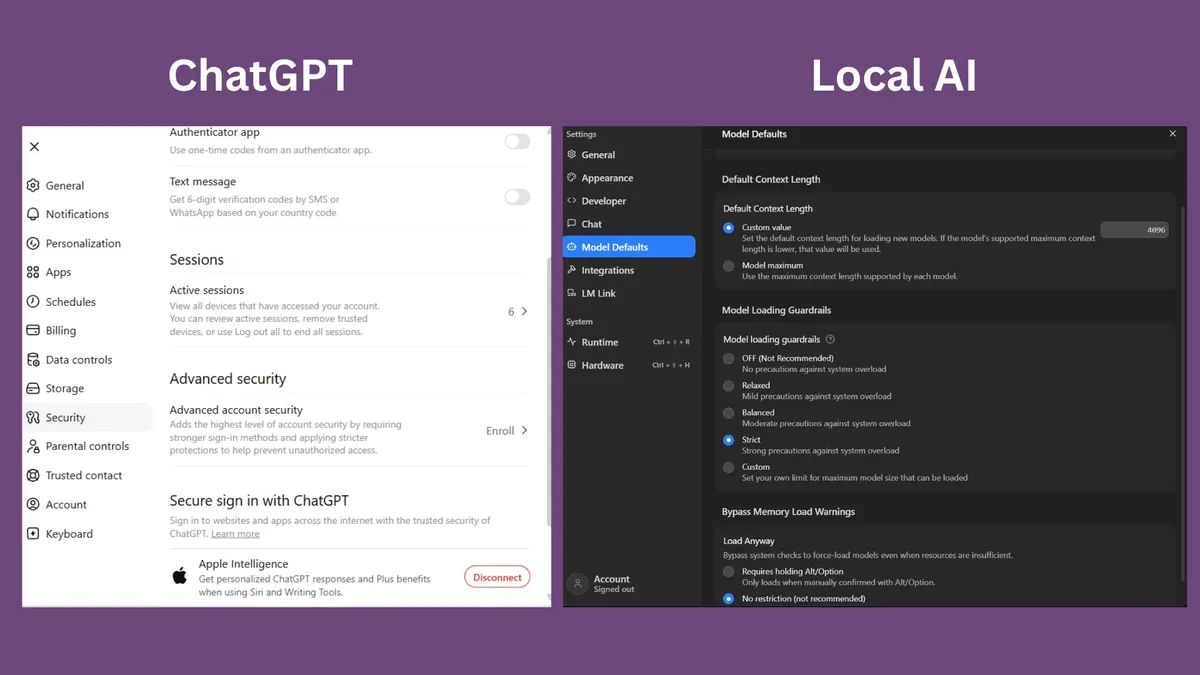
The paramount advantage of local AI is its inherent privacy. Unlike cloud-based chatbots that transmit prompts and data to external servers for processing, local AI operates entirely on the user's machine. This means sensitive documents, personal notes, and confidential conversations never leave the device, providing a robust safeguard against data breaches and unauthorized access. While major AI providers implement privacy policies and security measures, the physical isolation of local AI offers a level of assurance that cloud services cannot match.
For individuals or organizations handling sensitive information, the privacy offered by local AI is a critical deciding factor. It eliminates the need to trust third-party servers with personal data, offering peace of mind and enhanced security.
2. Speed
Local AI often delivers surprisingly rapid responses, challenging initial expectations of sluggish performance on consumer hardware. The absence of network latency—the delay incurred by sending requests to and receiving responses from remote servers—allows local AI to begin generating text almost instantaneously. In many instances, especially for shorter queries, this direct processing leads to a more responsive and fluid user experience compared to cloud-based alternatives.
However, the speed of local AI is directly contingent on the user's hardware capabilities. A high-performance machine equipped with sufficient RAM and a powerful GPU will exhibit significantly faster processing times than an older or less capable system. This hardware dependency means that while local AI can feel lightning-fast, its performance ceiling is determined by the user's computational resources.
3. Intelligence
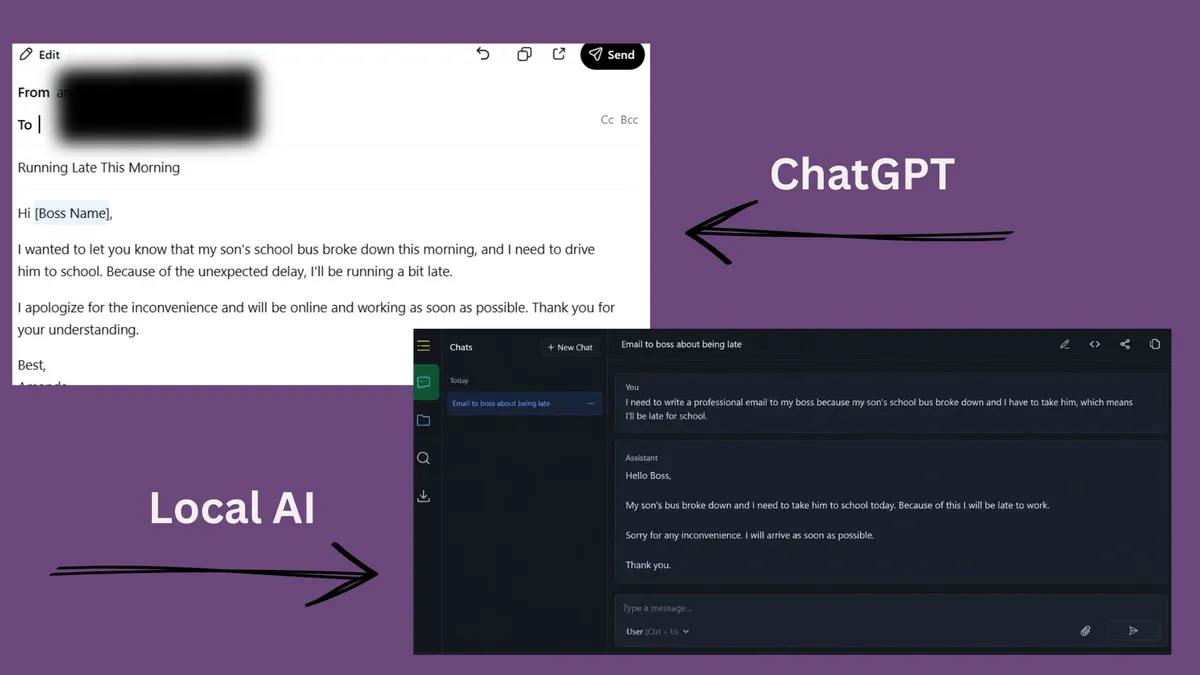
In terms of raw intelligence and complex task performance, cloud AI generally maintains a significant edge. Leading cloud AI models, developed by companies such as OpenAI, Google, and Anthropic, are trained on vast datasets and run on massive, highly optimized computing infrastructures that far surpass the capabilities of typical consumer hardware. This allows them to excel at complex reasoning tasks, nuanced writing prompts, and in-depth research questions with greater accuracy and coherence.
While local AI models have seen dramatic improvements, they often struggle to match the sophistication and depth of cloud AI when faced with highly demanding tasks. The limitations of local hardware and model sizes mean that local AI may not always provide the same level of analytical power or creative output as its cloud-based counterparts.
Winner: Cloud AI
4. Deep Research Capabilities
Cloud AI platforms possess a distinct advantage in deep research due to their integration with web search functionalities and access to real-time information. This allows them to provide up-to-date summaries of current events, analyze recent publications, and research topics that have emerged since their initial training data was compiled. This dynamic access to information makes cloud AI an indispensable tool for users requiring the most current and comprehensive research assistance.
Local AI models, conversely, are typically limited to the knowledge contained within their training data. While advancements are being made, achieving similar real-time research capabilities often requires manual installation and configuration of additional tools, presenting a steeper learning curve for less technically inclined users.
Winner: Cloud AI
5. Offline Accessibility
A major benefit of local AI is its ability to function seamlessly without an internet connection. This offline capability ensures uninterrupted access to AI services, which is particularly valuable for users in areas with unreliable internet connectivity, frequent travelers, or remote workers. Unlike cloud AI, which is entirely dependent on network availability and server uptime, local AI provides a consistent and dependable user experience regardless of internet status.
This independence from online connectivity makes local AI a crucial tool for maintaining productivity and access to information in diverse environments, offering a unique advantage where constant internet access is not guaranteed.
Winner: Local AI
6. Customization and Flexibility
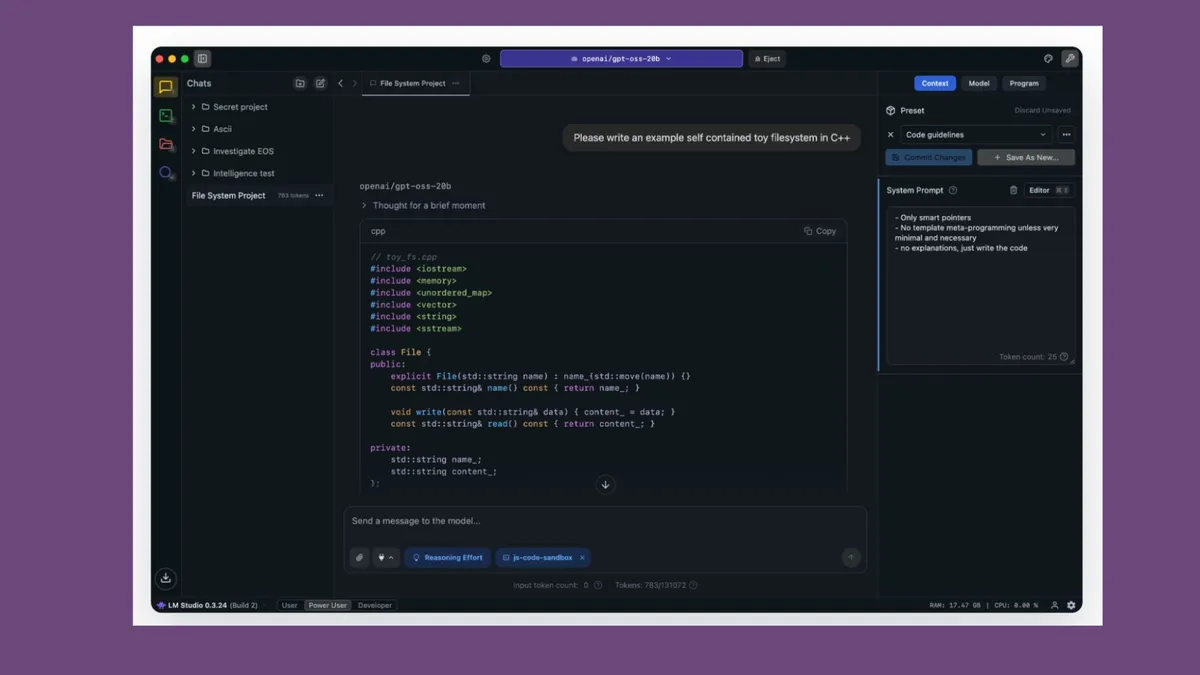
Local AI platforms offer a significantly higher degree of customization and flexibility compared to the typically streamlined interfaces of cloud AI services. Users can switch between various AI models, adjust operational parameters, experiment with different AI personalities, and fine-tune response generation to suit specific needs. This granular control is particularly appealing to advanced users and AI enthusiasts who value the ability to tailor the AI's behavior.
However, this extensive customization can introduce complexity, potentially overwhelming new users. The array of options and settings available in local AI platforms may require a learning curve, contrasting with the immediate ease of use offered by most cloud AI applications.
Winner: Local AI
7. Cost Structure
The cost of accessing AI services presents a divergent model between cloud and local solutions. Cloud AI often operates on a freemium basis, with basic access available at no cost, while premium features and advanced models typically require a monthly subscription (e.g., ChatGPT Plus, Claude Pro, Gemini Advanced). This approach spreads the cost over time.
Local AI software itself is frequently free, but the primary cost lies in the necessary hardware. Running sophisticated local AI models efficiently may demand a substantial investment in a powerful computer with ample RAM and a high-end GPU. This creates an upfront capital expenditure rather than a recurring subscription fee.
Winner: User Preference
Environmental Considerations: Energy Consumption
Contrary to initial assumptions, local AI's energy efficiency is not universally superior to cloud AI. While cloud AI relies on energy-intensive data centers, these facilities are highly optimized for AI workloads. Research, such as a 2025 study by Greenspector, indicates that running AI models directly on consumer devices like smartphones can significantly increase battery drain and overall energy consumption due to localized, intensive processing. This suggests that while local AI offers privacy benefits, its environmental impact is more complex and depends heavily on the specific hardware setup and usage patterns.
Winner: Depends on your setup
Getting Started with Local AI
For those interested in exploring local AI, LM Studio offers a user-friendly entry point, simplifying the process of running AI models offline without requiring extensive technical expertise. The general steps involve downloading the LM Studio application, selecting a suitable AI model from its available library—with options like Gemma 3, Qwen 3, and Llama 4 Scout being recommended for beginners—and then initiating a chat session, which mirrors the familiar ChatGPT interface.
Step 1: Download LM Studio from its official website.
Step 2: Browse and select an AI model. Smaller models generally offer faster performance, while larger models may provide more sophisticated outputs.
Step 3: Begin interacting with the model through the chat interface.
Choosing the Right AI Approach
Ultimately, cloud AI and local AI serve distinct purposes and are not mutually exclusive competitors. Cloud AI remains the superior choice for users prioritizing access to the most intelligent models, integrated web search capabilities, and the simplest user experience. Its ability to provide real-time information and handle complex tasks effortlessly makes it ideal for research, brainstorming, and demanding projects.
Conversely, local AI excels in scenarios where privacy, extensive customization, and offline functionality are paramount. Its capacity to keep data secure on the user's device and offer deep control over AI parameters makes it invaluable for sensitive work and personalized AI interactions. Many users, myself included, find utility in employing both approaches, leveraging cloud AI for its power and local AI for its privacy and control, thereby optimizing their AI workflow across diverse needs.