

Deep Dive into PowerLine Technology and Performance
Understanding PowerLine Network Adapters
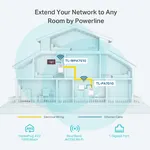
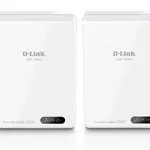
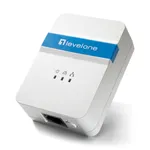
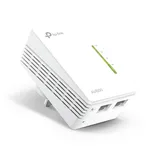
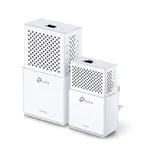
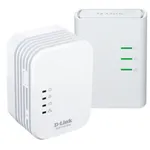
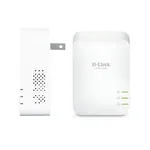
PowerLine network adapters harness the existing electrical wiring within a building to establish a high-speed data network, fundamentally transforming your power outlets into network ports. The underlying technology, typically based on the HomePlug AV or AV2 standard, modulates digital data into high-frequency electrical signals. These signals are then injected into the electrical grid via a transmitter adapter connected to your router and a wall outlet. A receiver adapter, plugged into another outlet elsewhere in the building, detects these signals, demodulates them back into digital data, and provides an Ethernet connection. This innovative approach bypasses the limitations of Wi-Fi range and physical Ethernet cable runs, offering a stable and secure wired connection where traditional methods fall short.
Key Performance Factors and Standards
The actual throughput of PowerLine adapters is influenced by several environmental factors. The quality and age of electrical wiring significantly impact performance; older or poorly maintained wiring can introduce impedance and signal degradation. Electrical noise from appliances such as vacuum cleaners, hair dryers, or even certain types of lighting can interfere with the data signal, leading to reduced speeds. Furthermore, the physical distance between adapters and the number of circuits the signal must traverse also play a crucial role. For optimal performance, it is generally recommended to connect adapters directly to a wall outlet rather than power strips or surge protectors, as these can filter out data signals.
Modern PowerLine adapters primarily adhere to the HomePlug AV or HomePlug AV2 standards. HomePlug AV devices typically offer theoretical speeds up to 200 Mbps or 500 Mbps, while HomePlug AV2 significantly boosts theoretical bandwidth, often to 1000 Mbps, 1200 Mbps, 1300 Mbps, 2000 Mbps, or even 2400 Mbps (e.g., AV2000, AV2400). This improvement is largely due to advanced MIMO (Multiple Input Multiple Output) technology, which utilizes all three electrical wires (live, neutral, and ground) to transmit data simultaneously, rather than just two, thereby increasing both speed and reliability across longer distances and noisier environments. Always ensure that adapters from different manufacturers or generations are compatible (e.g., all HomePlug AV2 for best performance) to avoid interoperability issues.
Security and Advanced Features
Security is a paramount concern for any network, and PowerLine adapters address this by employing 128-bit AES (Advanced Encryption Standard) encryption. This robust encryption protocol safeguards your data as it travels through the electrical wiring, preventing unauthorized access. Most PowerLine kits come pre-paired with encryption enabled, or offer a simple pairing button for secure setup. Pressing this button on each adapter within a set timeframe establishes a secure link, ensuring that only your authorized devices can communicate over the PowerLine network.
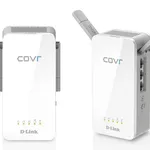
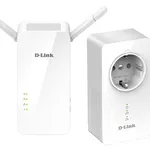
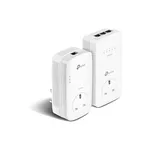
Beyond core connectivity, many PowerLine adapters offer advanced features that enhance usability and energy efficiency. Pass-through outlets, integrated into the adapter, allow you to plug other electrical devices directly into the adapter itself, ensuring you don't lose a valuable power socket. Gigabit Ethernet ports are standard on higher-end models, providing high-speed wired connections essential for bandwidth-intensive applications like 4K video streaming or online gaming. Furthermore, power-saving modes are common, allowing adapters to automatically enter a low-power state when no data transmission is detected, thereby reducing energy consumption and operational costs.