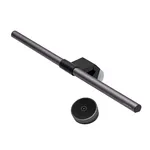
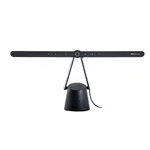
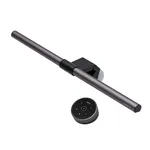
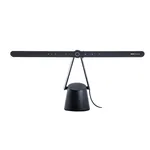
The BenQ ScreenBar Halo represents a significant evolution in monitor lighting, moving beyond simple illumination to offer a sophisticated, user-centric lighting solution for the modern workspace. Designed to address the common issues of eye strain and poor ambient lighting, this monitor light bar aims to enhance both productivity and visual comfort during extended computing sessions. Its unique design clips onto the top of your monitor, projecting light downwards onto your desk and keyboard without creating distracting screen glare.
At its core, the ScreenBar Halo focuses on delivering optimal lighting conditions through its advanced features. It boasts a dual lighting system, combining a focused downward beam for task lighting with a unique rear-facing ambient light that subtly illuminates the wall behind your monitor. This creates a balanced lighting environment, reducing the stark contrast between a bright screen and a dark room, which is a primary cause of digital eye fatigue. The adjustable color temperature and brightness allow users to tailor the light to their specific needs and the ambient conditions, whether for focused work, creative tasks, or relaxed browsing. The inclusion of an intelligent auto-dimming feature, powered by an ambient light sensor, further refines the user experience by automatically adjusting light levels, ensuring consistent illumination without manual intervention.
Key Features and Design
The engineering behind the BenQ ScreenBar Halo is evident in its thoughtful design and functionality. The light bar itself is crafted from aluminum alloy, giving it a premium feel and robust build quality. It features a patented clip-on design that requires no screws or adhesives, making it incredibly easy to install and remove, and compatible with most monitors ranging from 0.4 to 1.2 inches thick. The light source utilizes high-quality LED chips that provide a high Color Rendering Index (CRI > 95), ensuring that colors are displayed accurately, which is crucial for design professionals and anyone who values true color representation. The adjustable color temperature ranges from 2700K (warm white) to 6500K (cool white), and brightness can be adjusted across 11 levels. The control mechanism is particularly innovative, employing a touch-sensitive control pad for easy adjustments and featuring a wireless remote for convenient operation, including a dedicated auto-dimming button.
Illumination and Eye Comfort
The ScreenBar Halo's primary objective is to enhance visual comfort and reduce eye strain. The asymmetric optical design is key here, directing light downwards onto the desk surface while minimizing glare on the monitor screen itself. This is achieved by angling the light source so it doesn't shine directly into the user's eyes or reflect off the display. The dual lighting aspect, with the rear ambient light, is a standout feature. This subtle backlight effect softens the contrast between the screen and the surrounding environment, creating a more comfortable viewing experience, particularly in dimly lit rooms. The auto-dimming function uses a built-in sensor to detect ambient light levels and adjust the screen bar's brightness accordingly, maintaining an optimal illumination level without user input. This ensures that whether you're in a brightly lit office or working late at night, the lighting is always appropriate, further contributing to reduced eye fatigue.