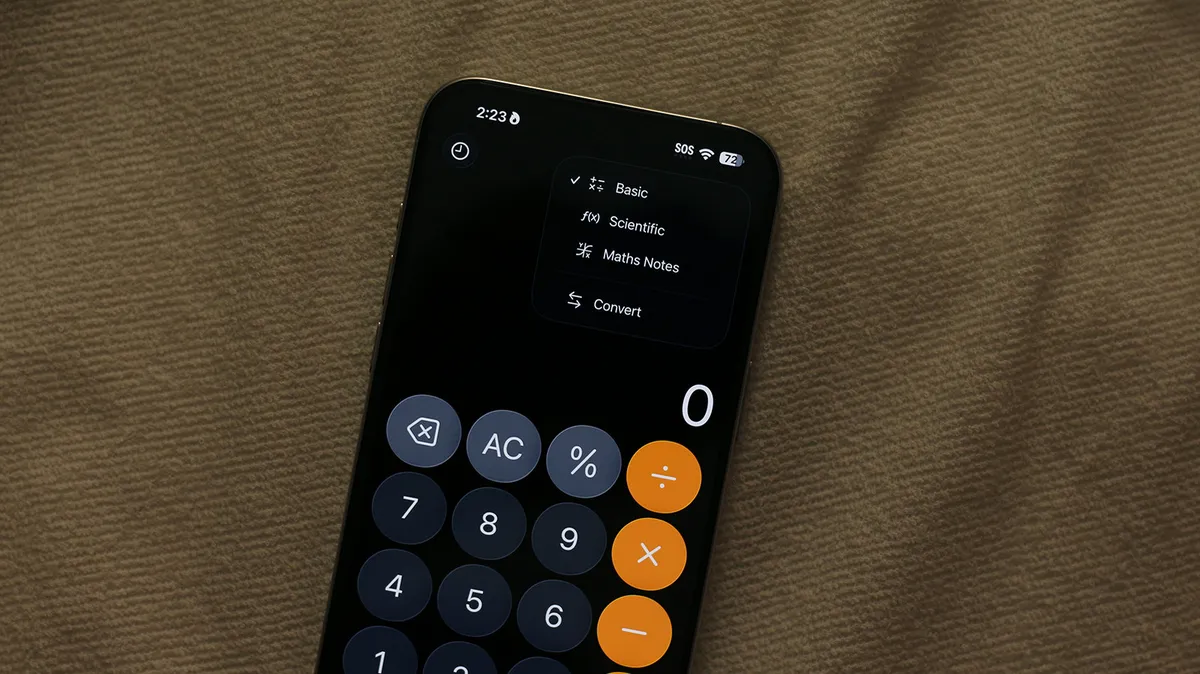
While the allure of the App Store offers an expansive universe of specialized applications for iOS devices, the utility of Apple's native applications should not be underestimated. Among these, the iPhone's built-in Calculator app, often overlooked for its seemingly straightforward functionality, harbors a surprising depth of capabilities. Beyond its clean interface and reliable performance for everyday calculations, it integrates advanced features, including unit and currency conversion, and a powerful scientific calculator mode. Furthermore, the introduction of 'Math Notes' has significantly expanded its potential, transforming the device into a versatile mathematical tool for complex problem-solving and data visualization.
The evolution of the iPhone's Calculator app showcases Apple's commitment to enhancing user productivity through integrated software. The standard mode offers intuitive access to fundamental arithmetic operations, while its ability to maintain a history of previous calculations provides a convenient reference. However, the true power lies in its less apparent functions. Engaging the scientific calculator mode unlocks access to logarithmic, exponential, and trigonometric functions, essential for students and professionals in STEM fields. The recent integration of Math Notes, accessible via the calculator's upper-right icon or by converting a standard note, represents a paradigm shift, allowing for more dynamic and organized mathematical workflows.
Leveraging Advanced Calculator Functions
Scientific Calculator Mode and Beyond
Accessing the scientific calculator mode on the iPhone is as simple as rotating the device to its landscape orientation. This transition reveals an expanded array of functions, including trigonometric identities (sin, cos, tan), logarithmic operations (log, ln), and exponential calculations (x^y, e^x). This mode is invaluable for users engaged in engineering, physics, advanced mathematics, or any field requiring complex computations. The app’s ability to handle order of operations correctly ensures accuracy in these intricate calculations, making it a reliable tool for both academic and professional tasks.
Beyond the standard functions, the Calculator app also excels in practical conversions. Users can seamlessly switch between different unit systems for measurements (e.g., distance, weight, temperature) and convert currencies in real-time. This feature is particularly beneficial for travelers, international business professionals, and anyone dealing with global markets, eliminating the need for separate conversion tools and streamlining tasks that involve cross-border transactions or measurements.
Introducing Math Notes for Dynamic Problem-Solving
Math Notes, a feature introduced with iOS 18, revolutionizes how users interact with mathematical equations on their iPhone. This mode allows for a more fluid, notebook-style input of equations, supporting variables, chained calculations, and even the generation of graphs. Instead of typing in a rigid format, users can write equations more naturally, mirroring the experience of working with a physical notebook, but with the added advantage of instant computation. This significantly enhances the educational and analytical potential of the iPhone's calculator.
When using Math Notes, equations are solved dynamically as the user types, signaled by an equals sign. The app intelligently recognizes handwriting, though it flags illegible characters with a dotted blue line and unsolvable expressions with a dotted red line. A particularly powerful aspect is its ability to handle calculations involving different units or currencies simultaneously. For example, inputting '130 USD + 140 AUD =' will prompt the app to perform the necessary conversion and summation on the fly. Math Notes are conveniently organized into a dedicated folder within the Apple Notes app, ensuring easy retrieval and management of complex calculations.
Instant Calculations Across All Apps
Enhancing its utility further, the iPhone's keyboard incorporates a feature for performing quick calculations directly within any application. By enabling 'Math Results' in Settings > General > Keyboard, users can type mathematical expressions followed by an equals sign and receive instant results. This capability eliminates the need to switch applications for simple calculations, such as adding up figures in an email or converting a measurement while browsing the web. The result appears directly above the keyboard, allowing for quick insertion into the text field.
This integration signifies Apple's drive to embed computational power seamlessly into the user experience across the entire iOS ecosystem. Whether in the dedicated Calculator app or through the keyboard's quick calculation feature, the iPhone empowers users with sophisticated mathematical tools that are both accessible and powerful. This continuous enhancement of built-in applications underscores the device's versatility beyond basic communication and entertainment, positioning it as an indispensable tool for productivity and complex problem-solving.