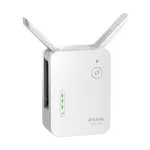
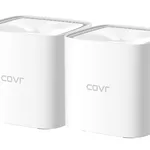
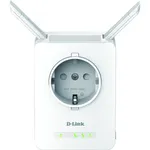
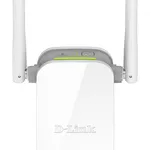
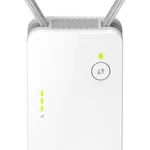
In today's connected world, seamless Wi-Fi coverage is no longer a luxury but a necessity. Dead zones and weak signal areas can cripple productivity and disrupt entertainment, making a reliable Wi-Fi extender a crucial component of any modern home or small office network. The D-Link DAP-1620/E AC1300 Dual-Band Wi-Fi Extender emerges as a compelling solution, designed to bolster your existing wireless network's reach and performance.
This device aims to solve the common problem of inadequate Wi-Fi signal strength in larger spaces or areas with signal obstructions. By strategically placing the DAP-1620/E, users can effectively eliminate Wi-Fi dead spots and ensure a stable, high-speed connection across their entire premises. Its AC1300 rating signifies its capability to deliver combined speeds of up to 1300 Mbps across both the 2.4 GHz and 5 GHz bands, making it suitable for bandwidth-intensive activities such as streaming high-definition video, online gaming, and large file transfers. The dual-band functionality allows for more efficient traffic management, dedicating the less congested 5 GHz band for high-priority devices and the 2.4 GHz band for broader compatibility and longer range.
Key Features and Performance Analysis
The DAP-1620/E boasts a compact and unobtrusive design, allowing it to blend seamlessly into any home environment. Its plug-and-play setup is a significant advantage, simplifying the often-daunting process of network expansion. The WPS (Wi-Fi Protected Setup) button further streamlines the connection process, enabling quick and secure pairing with your existing router. In terms of wireless standards, it supports IEEE 802.11ac and is backward compatible with older standards (802.11n/g/b/a), ensuring it works harmoniously with a wide range of wireless devices.
Dual-Band Connectivity: The AC1300 speed is achieved through concurrent dual-band operation. It offers up to 400 Mbps on the 2.4 GHz band and up to 867 Mbps on the 5 GHz band. This split allows for optimized performance, reducing interference and providing a more robust connection for devices that demand higher speeds and lower latency.
Gigabit Ethernet Port: A standout feature is the integrated Gigabit Ethernet port. This port serves a dual purpose: it can be used to connect the extender to your router in AP mode for a more stable wired backhaul, or it can be utilized to connect a wired device (like a smart TV, gaming console, or desktop computer) to your wireless network, effectively turning a wired device into a Wi-Fi client. This adds significant versatility beyond simple signal extension.
Smart Signal Indicator: The built-in LED indicator is designed to help users find the optimal placement for the extender. By indicating the signal strength from the router, it guides users to position the device in a location where it can effectively receive a strong signal and rebroadcast it to weak areas.