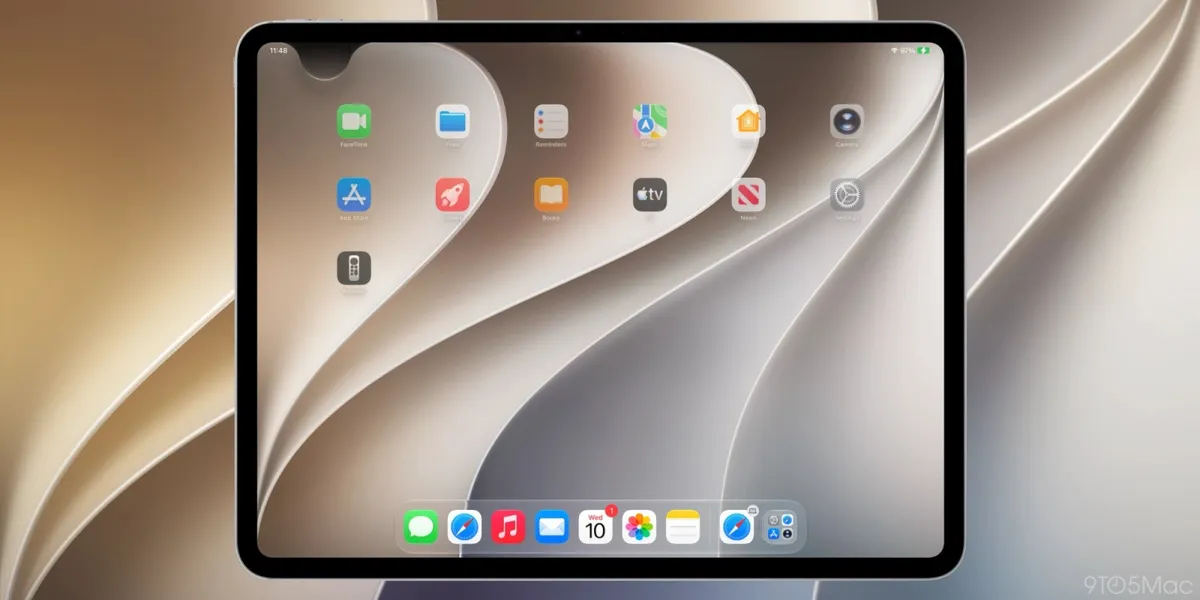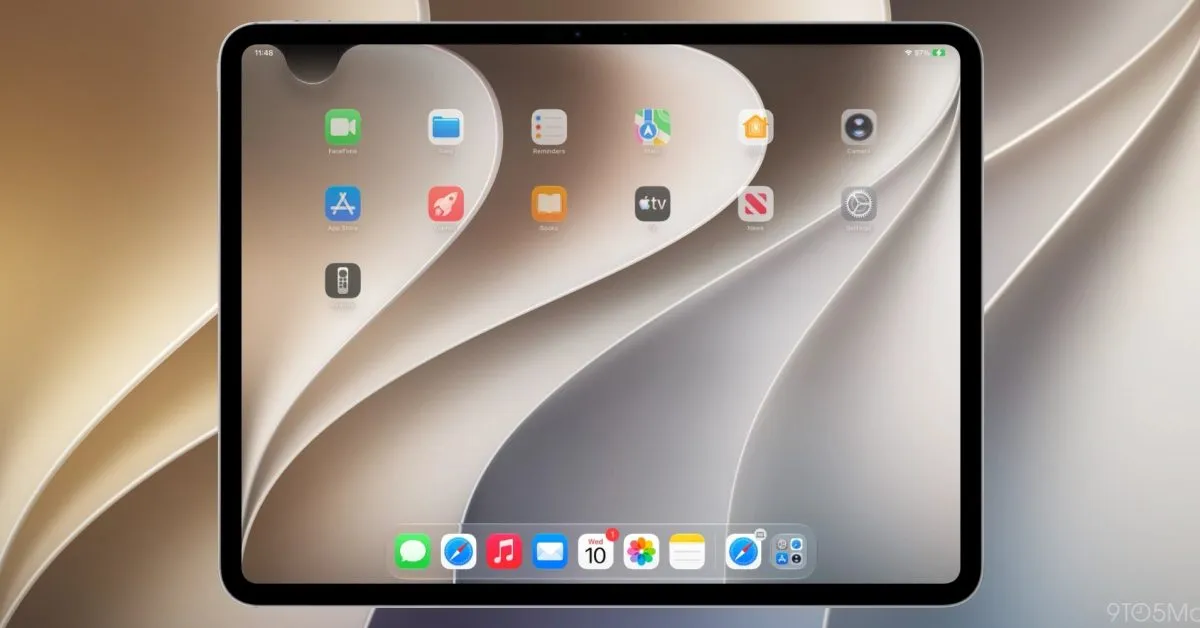
Since its introduction in iOS 5 back in 2011, Notification Center has served as a centralized hub for users to review alerts from various applications in a chronological format. However, with the upcoming release of iOS 27 and iPadOS 27, Apple is implementing a significant alteration to the method by which users access this feature on iPhones and iPads. This change primarily involves the gesture used to invoke Notification Center, reallocating it to facilitate easier access to an enhanced Siri AI.
While the default access to Notification Center remains unchanged in the initial release of iOS 27 and iPadOS 27, the integration of the new Siri AI introduces a pivotal modification to a familiar swipe gesture. Specifically, enabling the advanced Siri AI functionality reconfigures the swipe-down gesture from the center of the top edge of the display. This gesture, previously a primary method for opening Notification Center, will now be largely dedicated to activating Siri.
Redesigned Gesture for Notification Center and Siri AI Access
With Siri AI enabled, accessing Notification Center will require a slight adjustment to user habits. Instead of swiping down from the center of the top edge, users will now need to swipe down specifically from the top-left corner of the screen to view their notifications. This adjustment reflects Apple's strategic decision to prioritize the accessibility of its newly empowered Siri AI, dedicating a substantial portion of the display's top edge to this functionality.
The shift in gesture allocation is particularly noticeable on the iPad. The area above the Home screen app icons is now predominantly designated for invoking the Siri AI experience. Furthermore, the available space for accessing Notification Center can be dynamically reduced if users opt to disable the display of the AM/PM indicator or the date on their device. This granular control over the display elements further emphasizes the prominence given to the new Siri AI activation gesture.
Historical Context of Notification Center Accessibility
This is not the first time Apple has significantly altered the accessibility of core system features. A notable precedent was set with the introduction of the iPhone X, which necessitated a shift in accessing Control Center. Previously accessed via a swipe up from the bottom of the screen, Control Center was moved to a swipe down gesture from the top-right corner on the iPhone X. This change was later unified across Apple's device lineup to ensure a consistent user experience.
The current modification to Notification Center's access gesture follows a similar pattern of adapting user interface elements to new hardware capabilities or evolving feature priorities. After over a decade of users performing the same gesture out of ingrained muscle memory, the transition to a new method will undoubtedly require a period of adaptation. The success of this change will hinge on user reception and the perceived value of the enhanced Siri AI experience.
User Adaptation and Early Feedback
The remapping of the Notification Center gesture, moving from the top-center to the top-left, marks a significant departure from established user patterns. For many, this familiar swipe down from the top has been a deeply ingrained habit since 2011. The transition to the top-left corner for Notification Center access, while seemingly minor, may present a learning curve for users accustomed to the previous method.
Conversely, the primary driver behind this change appears to be the elevation of Siri AI's role within the iOS ecosystem. Early indications suggest that the new Siri AI system has garnered positive initial feedback, with users reporting improved performance and capabilities. Whether this perceived enhancement of Siri justifies the alteration of a long-standing Notification Center gesture remains to be seen, and will likely depend on the tangible benefits users experience from the redesigned interaction.
Note: The following section contains links to external retail sites and affiliate marketing content that is not part of the core editorial content and may involve affiliate revenue.