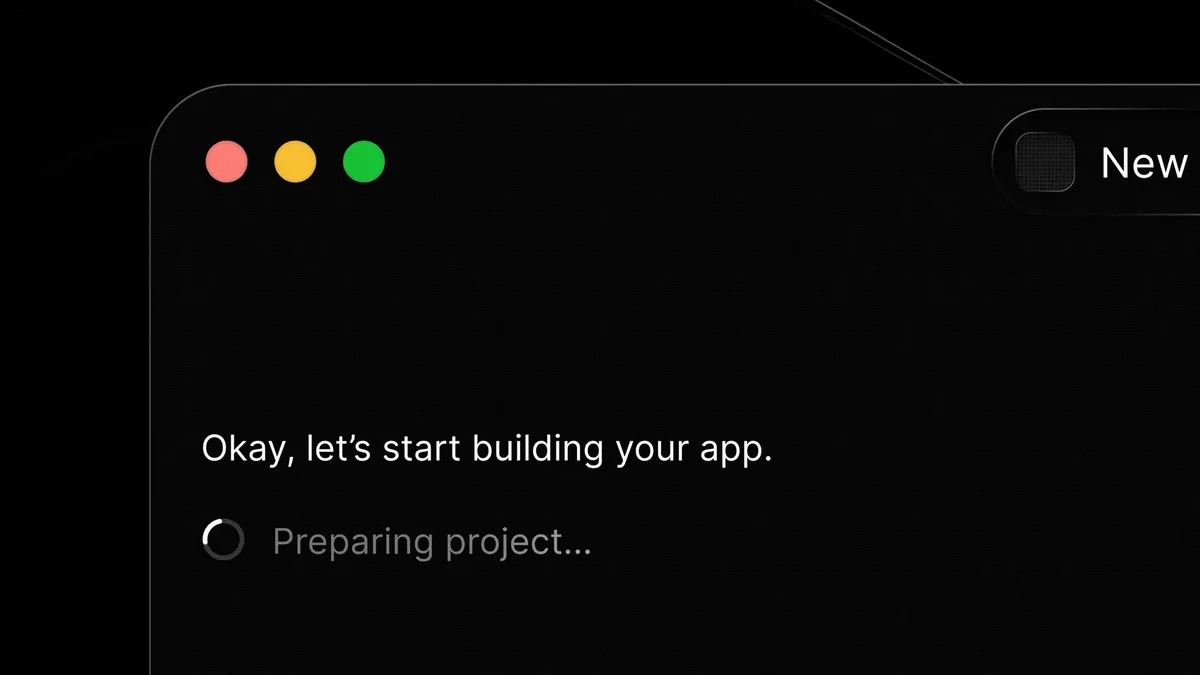
The landscape of software development is rapidly evolving, with artificial intelligence playing an increasingly significant role. A new Mac application named Glaze is emerging as a noteworthy contender in this space, offering a novel approach to application creation through a concept termed "vibe coding." This method allows users to describe their desired software—be it a tool, a game, or a standalone application—and have Glaze generate it. The process is likened to collaborating with a programmer who readily implements specified features, aiming to democratize app creation for a wider audience.
What distinguishes Glaze from other generative AI tools in the app development sphere, such as Lovable, Bolt, Gemini Canvas, Google's AI Studio, or Claude Artifacts, is its focus on generating software that operates locally on the user's computer. This local execution model offers distinct advantages, including offline functionality, enhanced data privacy as information remains on the user's machine, and deeper integration with the computer's native capabilities like the file system, keyboard shortcuts, menu bar, and background processes. This results in applications that possess characteristics closer to traditional desktop software compared to web-based applications generated by other platforms.
Glaze: An AI-Powered Local Application Development Platform
Glaze is designed for Mac users, with plans for broader platform compatibility potentially in the future. The application offers a freemium model, providing basic functionality with usage limitations. For users requiring more extensive capabilities or higher usage limits, a subscription tier is available at $20 per month. Interested individuals can join a waitlist to receive an invitation to use the application. The development team behind Glaze is the same startup responsible for Raycast, a popular launcher application, suggesting a commitment to creating user-friendly and efficient desktop tools.
The core of Glaze's functionality lies in its intuitive "vibe coding" interface. Users initiate the process by articulating their app idea. Glaze then guides them through a four-step workflow: planning, creation, refinement, and publishing. During the creation phase, Glaze may present users with choices regarding specific features or design elements to ensure the final product aligns with their vision. Once Glaze generates a draft, users can provide feedback for iterative improvements, enhancing the app's functionality and user experience. This approach streamlines the development cycle, making it accessible even for individuals without traditional coding expertise.
The Development Workflow and Initial Applications
The development process with Glaze begins with conceptualization. Users are encouraged to be as detailed as possible when describing their desired application. Glaze then enters a planning mode, where it translates these descriptions into a structured plan. Users can provide feedback on this plan before the actual code generation begins. This preliminary planning stage is crucial for minimizing the consumption of development credits, as it ensures that the subsequent building process is based on a well-defined objective.
Early users have reported successful creation of various small applications within minutes or hours. Examples include a "Box Breath" app for guided meditation breaks, taking approximately 12 minutes to build. Another was a utility for quickly accessing and copying frequently used URLs, completed in about 10 minutes. A more complex example is "QuotePop," an application that transforms any text or quote into a customizable image file suitable for presentations or social media sharing, which took an hour to develop. These examples highlight Glaze's capability to produce functional, albeit niche, applications relatively quickly.
Exploring the Glaze App Ecosystem
Beyond user-created applications, Glaze also features a growing collection of free, publicly available apps built using the platform. These serve as demonstrations of Glaze's potential and offer practical utilities for Mac users. Notable examples include:
- macHealth: Aids in diagnosing and resolving issues affecting Mac performance, such as battery or memory problems.
- Pinfont: Allows users to preview how text appears across their installed fonts, facilitating font selection.
- Focus Soundboard: Enables the playback of multiple sounds simultaneously to aid concentration.
- Silly Sounds: A playful utility that generates noises in response to keystrokes.
- Word Connections: An offline adaptation of the popular New York Times word game.
- PDF and Image Merger: A tool for consolidating multiple PDF documents and image files into a single file.
These diverse applications showcase the versatility of Glaze, catering to productivity, entertainment, and utility needs. Their availability allows new users to gain a tangible understanding of the types of software that can be generated using the platform.
Getting Started with Glaze
To begin using Glaze, prospective users must first join the waitlist via the official website, glaze.app. Upon receiving an invitation, they can download and install the application on their Mac. The initial exploration phase involves browsing the Glaze "store" to discover and test the free apps developed by the community. This allows users to familiarize themselves with the output quality and functionality.
The subsequent step involves entering Glaze's planning mode to articulate the desired application. Detailed descriptions are key to generating accurate results. As Glaze processes the request, it may prompt the user for further clarification on features or design preferences. Once the user approves Glaze's proposed plan, the application proceeds to build the software. Post-construction, users can test the application and request iterative improvements. Finally, developed applications can be kept private, shared with specific groups, or published to a public directory.
Advanced Tips for Glaze Users
To maximize the effectiveness of Glaze, several pro tips can enhance the development experience. Customizing Glaze's instructions within the application's settings allows users to define default design elements or feature preferences, ensuring consistency across generated applications. Incorporating user options within the applications themselves, such as customizable image dimensions or background colors in the QuotePop app, leads to more versatile and user-friendly software.
Strategic planning is paramount. Spending time defining the app's requirements in Glaze's planning mode, or even preparing a detailed brief using external AI tools like Claude or ChatGPT, can significantly reduce the need for costly revisions. This pre-planning conserves Glaze development credits for the actual building process. Furthermore, iterative refinement is key; after the initial build, providing Glaze with specific feedback for improvements in design or usability will lead to a more polished final product.
Understanding Glaze's Limitations
Despite its innovative approach, Glaze currently has several limitations. The primary constraint is its exclusivity to macOS; there is no definitive timeline for Windows or Linux versions. The credit system, while essential for managing AI resources, can become a cost factor for complex applications or extensive iterations. Users on the free tier may exhaust their credits quickly, necessitating a paid subscription at $20 per month for continuous development.
Another limitation is the local-only nature of the generated applications. While this ensures privacy and offline access, it means apps are not directly usable on mobile devices like smartphones or tablets. Furthermore, if a user operates multiple computers, Glaze must be installed and configured separately on each machine, and applications developed will not sync or be accessible across different devices without manual transfer.
Exploring Alternatives in AI-Assisted Development
Several other platforms offer AI-driven tools for application and website creation, each with its own strengths. Lovable allows users to generate sites and apps from text prompts, screenshots, or pre-designed templates, focusing on no-code development. Bolt offers similar AI-powered creation of web apps and landing pages, with an emphasis on adhering to brand guidelines.
For interactive web content, Claude Artifacts is suitable for generating elements like flashcards, quizzes, and simple visualizations, though it does not produce local software. Gemini Canvas integrates within the Gemini ecosystem, enabling the creation of apps, games, and dashboards from documents or data files. Google also provides AI Studio for more advanced development, Stitch for mobile app design concepts, and Opal for creating web applications by linking various AI skills and workflows.